- Power Delivery: 180W power delivery to charge high-performance laptops while docked.
- Universal Compatibility: Works with Dell and non-Dell laptops via USB-C or Thunderbolt 3/4.
- Dual 4K Display Support: Connect up to two 4K displays (HDMI and DisplayPort) for enhanced productivity.
- Fast Data Transfer: USB 3.1 Gen 1 ports for high-speed data transfer.
- Network Connectivity: Built-in Gigabit Ethernet for stable and fast wired internet.
- Audio Out: 3.5mm audio jack for headphones or speakers.
- Compact Design: Sleek and portable design for easy setup at home, office, or on the go.
Features and Design
Power your connections
Power your day: Dell ExpressCharge allows you to charge up to 80% in one houri, making it the most efficient way to manage the workday.
Energize your workload: Get more done, even faster with Dell ExpressCharge Boost – a feature that provides up to a 35% charge in just 20 minutesi.
Unmatched charging: Increase your power delivery and charge even faster with a dock that delivers up to 90W of power with 130W power adapter.
Built for the future
Mix and match: Evolve as your needs change with our most versatile dock. The future-ready design lets you swap out modules with ease if you need to do field replacements or upgrade your systems.
Ultimate connectivity: USB-C connectivity makes it easier than ever to deliver power, data, audio and video in one convenient cable, no matter what system you use.
Clean and clutter-free: Stay productive by mounting your dock behind your monitor or under your desk with the optional, secure VESA mount, that offers complete flexibility with the built-in one-meter cable.
Information in a flash: With data transfer speeds of up to 10Gbps, you can stay productive when connected to all your devices.
Optimize your workspace
Smooth and seamless: Work without disruptions utilizing a single firmware on our most manageable docks ever. Plus, with Dell Client Command Suite and Microsoft System Center Configuration Manager, you can quickly and easily update your firmware without rebooting your dock.
Secure manageability: Keep your information safe with MAC Address pass-thru and remote port-disablement. Plus, with features like PXE Boot, Wake-on-LAN and more, it’s easier than ever to stay productive while managing your dock.
Connectivity Options
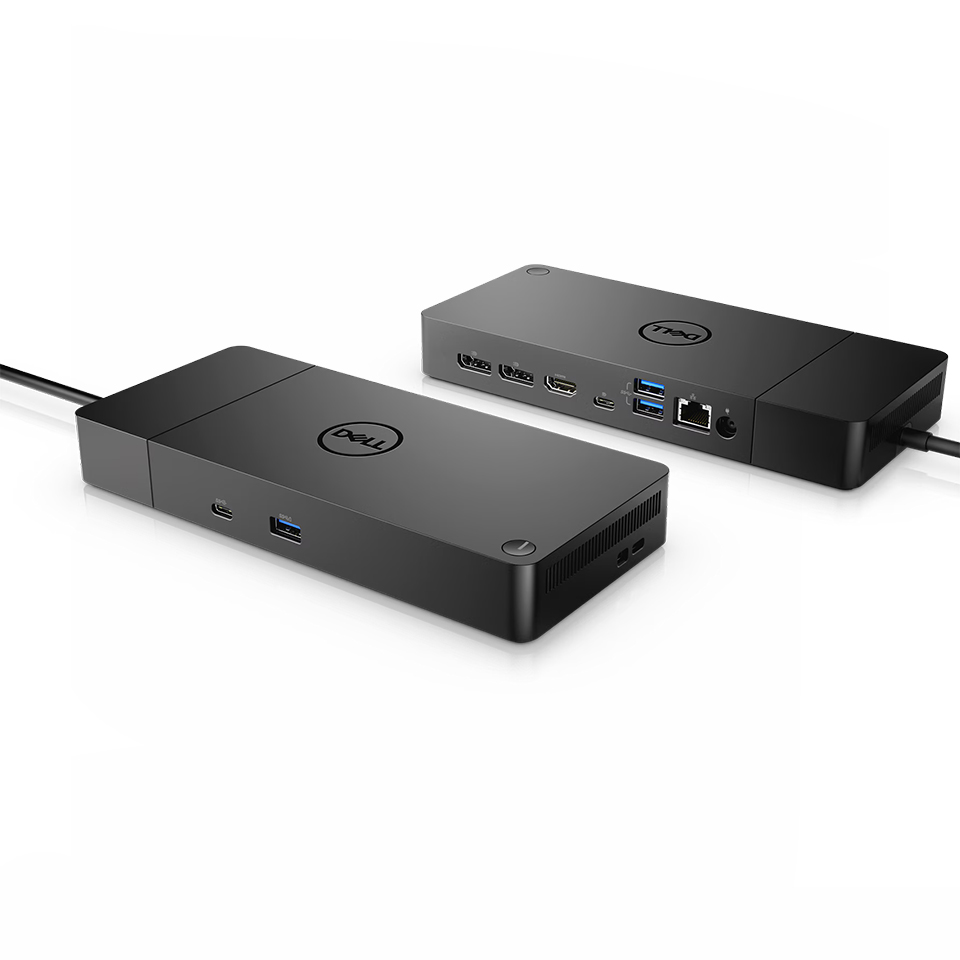
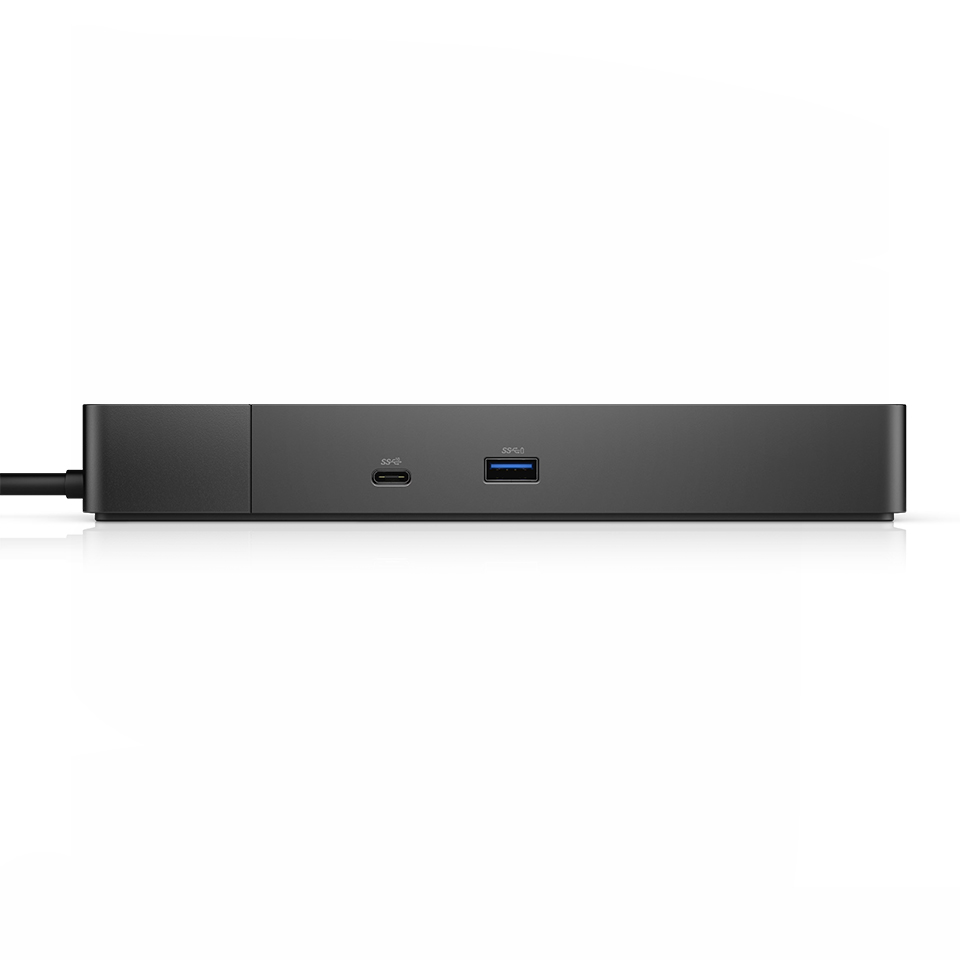
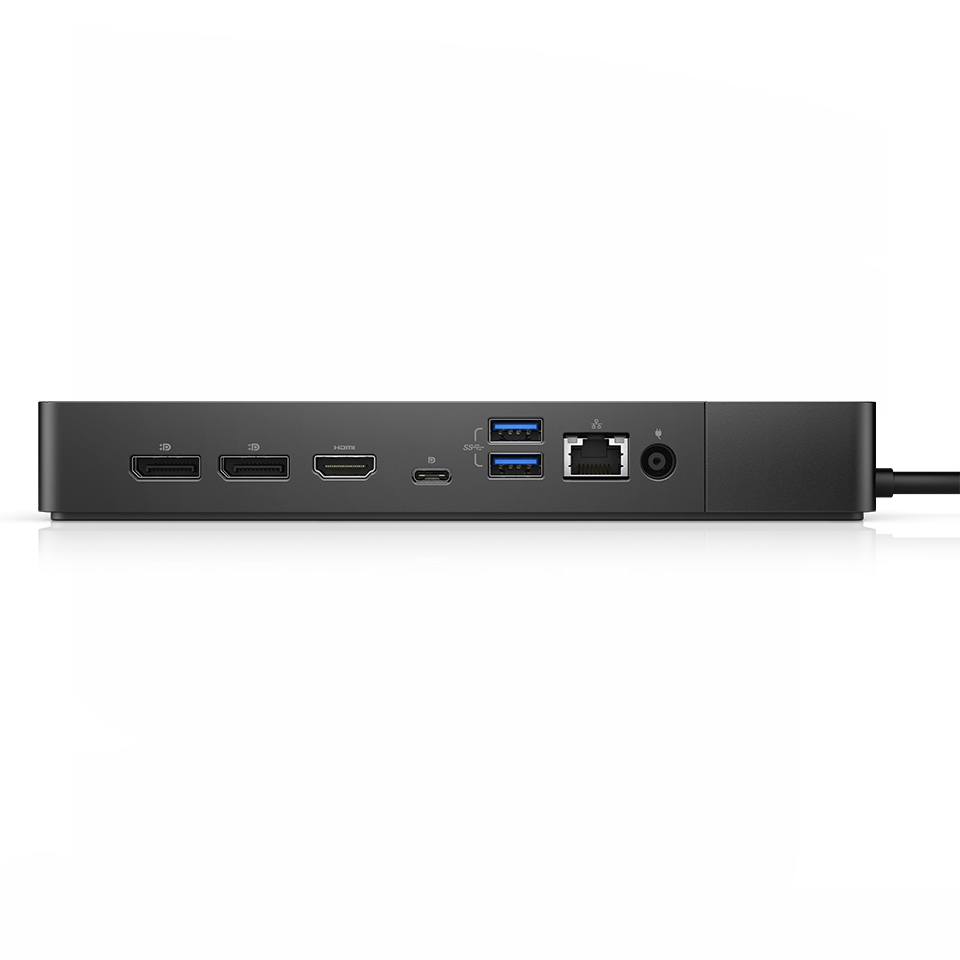
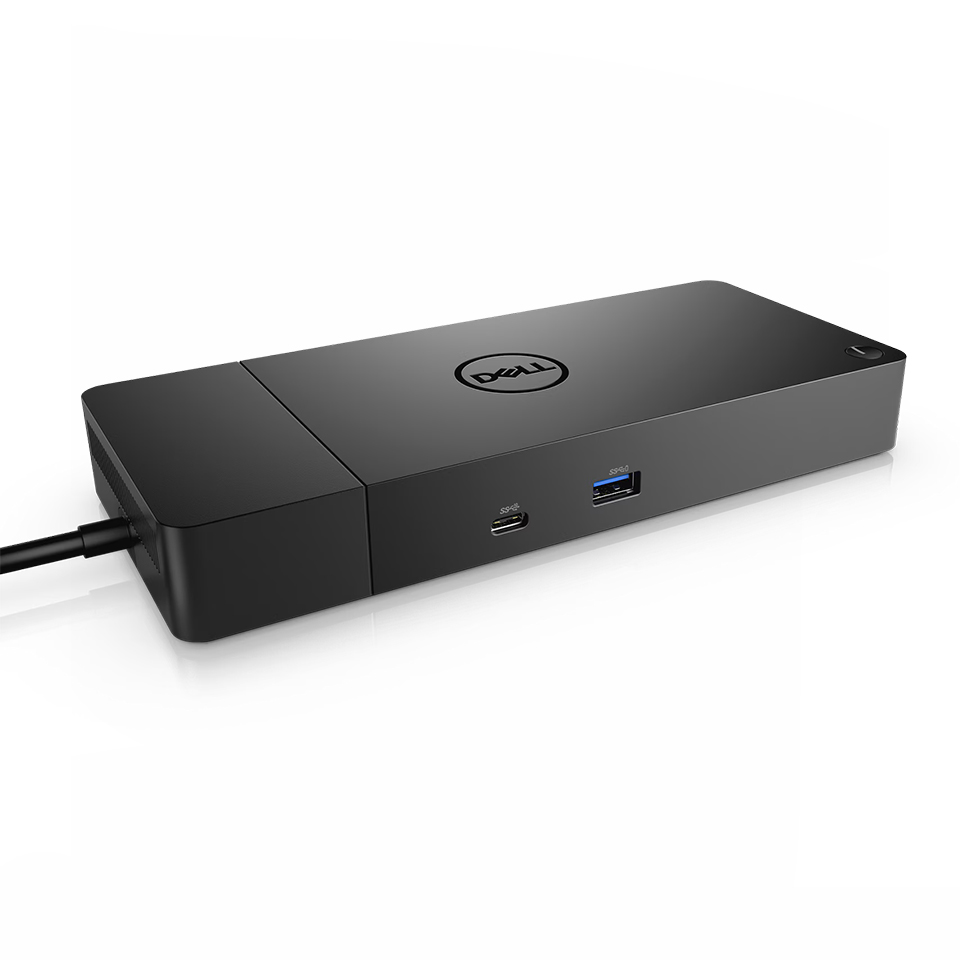
Ports & Slots:
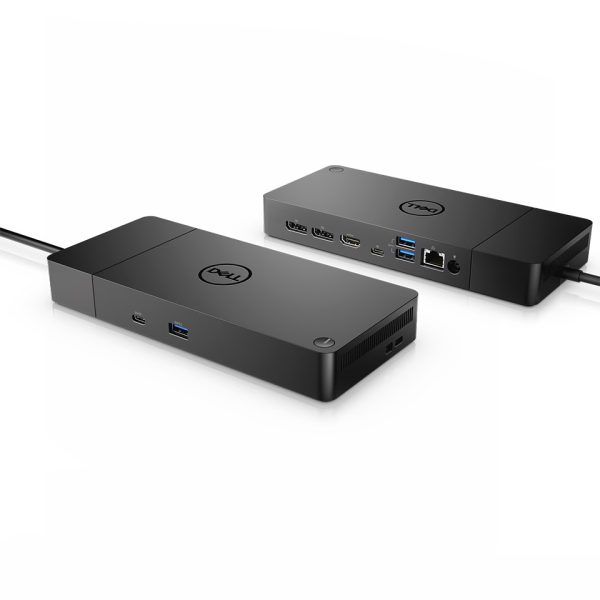
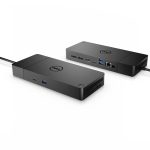
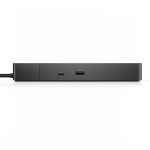
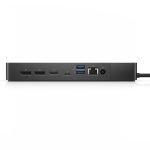
1. USB-C 3.1 Gen 2 | 2. USB-A 3.1 Gen 1 with PowerShare | 3. DisplayPort 1.4 (x2) | 4. HDMI 2.0b | 5. USB-C Multifunction DisplayPort | 6. Dual USB-A 3.1 Gen 1 | 7. Gigabit Ethernet RJ45 | 8. Power In
Advanced Exchange Service
Your dock comes with a 3-year Advanced Exchange Servicei so that if a replacement becomes necessary, it will be shipped to you the next business day during your 3-year Limited Hardware Warranty.
Compatibility:
| Latitude 3120 (Pentium) |
Latitude 3140 |
Latitude 3301 |
Latitude 3310 2-in-1 |
Latitude 3320 |
| Latitude 3330 |
Latitude 3340 |
Latitude 3400 |
Latitude 3410 |
Latitude 3420 |
| Latitude 3430 |
Latitude 3440 |
Latitude 3450 |
Latitude 3500 |
Latitude 3510 |
| Latitude 3520 |
Latitude 3530 |
Latitude 3540 |
Latitude 3550 |
Latitude 5300 |
| Latitude 5300 2-in-1 |
Chromebook Enterprise |
Latitude 5310 |
Latitude 5310 2-in-1 |
Latitude 5310 2-in-1 w/Thunderbolt |
| Latitude 5310 w/Thunderbolt |
Latitude 5320 |
Latitude 5320 2-in-1 |
Latitude 5330 |
Latitude 5330 2-in-1 |
| Latitude 5340 |
Latitude 5340 2-in-1 |
Latitude 5350 (laptop or 2-in-1) |
Latitude 5400 |
Latitude 5400 Chromebook Enterprise |
| Latitude 5410 |
Latitude 5410 w/Thunderbolt |
Latitude 5420 |
Latitude 5420 Rugged |
Latitude 5424 Rugged |
| Latitude 5430 |
Latitude 5430 Chromebook Enterprise |
Latitude 5440 |
Latitude 5450 |
Latitude 5455 |
| Latitude 5500 |
Latitude 5510 |
Latitude 5510 w/Thunderbolt |
Latitude 5520 |
Latitude 5530 |
| Latitude 5540 |
Latitude 5550 |
Latitude 7200 2-in-1 |
Latitude 7210 2-in-1 |
Latitude 7220 Rugged |
| Latitude 7230 Rugged |
Latitude 7300 |
Latitude 7310 |
Latitude 7320 |
Latitude 7320 2-in-1 |
| Latitude 7320 Detachable |
Latitude 7330 |
Latitude 7330 Rugged |
Latitude 7340 (laptop or 2-in-1) |
Latitude 7350 (laptop or 2-in-1) |
| Latitude 7350 2-in-1 Detachable |
Latitude 7400 |
Latitude 7400 2-in-1 |
Latitude 7410 |
Latitude 7410 Chromebook Enterprise |
| Latitude 7420 |
Latitude 7420 2-in-1 |
Latitude 7424 Rugged |
Latitude 7430 |
Latitude 7440 (laptop or 2-in-1) |
| Latitude 7450 (laptop or 2-in-1) |
Latitude 7455 |
Latitude 7520 |
Latitude 7530 |
Latitude 7640 |
| Latitude 7650 |
Latitude 9330 2-in-1 |
Latitude 9410 |
Latitude 9420 |
Latitude 9430 |
| Latitude 9440 2-in-1 |
Latitude 9450 2-in-1 |
Latitude 9510 |
Latitude 9520 |
OptiPlex 3090 Ultra |
| OptiPlex 7090 Ultra |
Precision 3540 |
Precision 3550 |
Wyse 5470 |
Inspiron 5440 |
| Inspiron 5441 |
Inspiron 5640 |
Inspiron 7441 |
Vostro 5300 |
Vostro 5301 |
| Vostro 5310 |
Vostro 5320 |
Vostro 5391 |
Vostro 5401 |
Vostro 5402 |
| Vostro 5410 |
Vostro 5501 |
Vostro 5502 |
Vostro 5510 |
Vostro 5620 |
| Vostro 5630 |
Vostro 5635 |
Vostro 5640 |
XPS 13 7390 |
XPS 13 7390 2-in-1 |
| XPS 13 9300 |
XPS 13 9305 |
XPS 13 9310 |
XPS 13 9310 2-in-1 |
XPS 13 9315 |
| XPS 13 9315 2-in-1 |
XPS 13 9320 |
XPS 13 9340 |
XPS 13 9345 |
XPS 13 9380 |
DETAILED DESCRIPTION
Highlights:
✅ High-Power 180W Adapter
✅ Ultimate Connectivity
-
Triple 4K Display Support (2x DP 1.4 + 1x HDMI 2.0)
-
5x USB Ports (including USB-C 3.2 Gen 2)
-
Dual DisplayPort++ for maximum resolution support
✅ Enterprise Ready
✅ Universal Compatibility
-
Thunderbolt 3 compatible
-
Works with Windows, Linux, macOS
-
Auto-detects connected devices
TECHNICAL SPECIFICATIONS
Video Output:
| Port |
Specification |
| DisplayPort 1.4 |
2x (5120x2880 @ 60Hz max) |
| HDMI 2.0 |
1x (4096x2160 @ 60Hz) |
USB Ports:
Other Ports:
Power Specifications:
Physical Specifications:
WHAT'S INCLUDED
IDEAL FOR:
✔ CAD/CAM Designers (SolidWorks, AutoCAD)
✔ Financial Analysts (multi-display setups)
✔ Video Editors (4K workflow)
✔ IT Departments (enterprise deployment)
✔ Hot-desking Environments











 Overview
 Features
Reviews
Clear filtersThere are no reviews yet.